


Olive Green
New
Nuance Audio Plus
Nuance Audio Plus Square
£899.00

Improve your ability to hear and communicate with all-in-one hearing glasses.
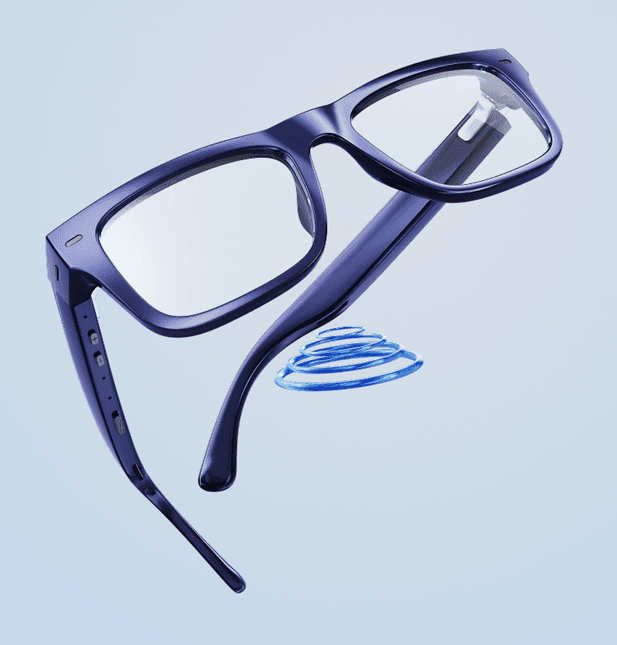
Hear better in noisy environments with a comfortable pair of glasses.
Nuance Audio Glasses Square
Customize your Prescription Lenses
When creating the perfect pair to meet your vision needs, choose to enhance your lenses with the
following treatments or leave them as is.


Nuance Audio™ Glasses:
• Panthos
• Upturn
Nuance Audio™ Plus:
• Panthos
• Upturn
• Square
Nuance Audio™ Glasses:
Besides your Nuance Audio™ Glasses, the standard package includes a Nuance Audio™ Glasses case, cloth, a Charging Pad and cable.
The Remote Control is not included but can be purchased separately.
Nuance Audio™ Plus:
In addition to your Nuance Audio™ Plus, the standard package includes:
• Nuance Audio™ Plus foldable case
• Cleaning cloth
• Nuance Audio™ Plus - Charging Pad
• USB-C charging cable
The Nuance Audio™ Plus - Remote Plus and the Charging Case are sold separately.
Nuance Audio™ Glasses: A full charge takes about 3 hours.
Nuance Audio™ Plus: A full charge takes about 4 hours.
Nuance Audio™ Glasses:
• To turn them on, open the temples of your glasses, then press and hold the multifunction button on the right temple for about 2 seconds. An audio prompt will confirm the Glasses are turned on.
• To turn them off, keep the temples open, then press and hold the multifunction button for about 1 second. An audio prompt will confirm the Glasses are turned off. Also, the glasses automatically turn off when you close the temples.
Nuance Audio™ Plus:
To turn the Glasses on/off, switch the slider button on the right temple forward/backward. An audio prompt will confirm that the Glasses are turned on/off.
Also, when the slider button is already on, folding the temples puts the Glasses into sleep mode to save battery. When you unfold the Glasses, they automatically turn on.
DISCOVER OTHER BRANDS FROM ESSILORLUXOTTICA


